1.1.3. Toolbar
The Toolbar icon appears in the top-left corner of the Timeline window (see figure 1). Click to open the Toolbar of press T. To close the Toolbar, press T again or drag the double arrow to the left.
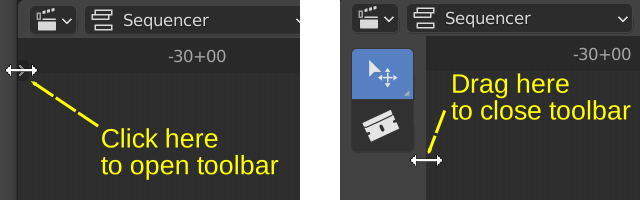
Figure 1: Open & Close Toolbar
The Sequencer toolbar contains two items: the Move tool and the Blade tool.
- Select/Select Box tool
This tool is selected by default. LMB - Click or LMB - drag result in the standard behavior: selecting a single strip or multiple strips.
- Blade tool
With this tool selected, the cursor changes to a crosshair. Clicking on any strip will create a regular (no Hold) Split at the position of the crosshair. Change back to Select/Select Box tool to get the default Sequencer behavior again.
In the future, more tools may be added to his toolbar. Some addons, for example the VSE Transform Tools make better use of this toolbar.